
The brief
When the owners moved into their new home in Warsash, their brief to us was unusually open: what could we suggest to make the house smart?
Rather than starting with individual smart devices, we started with the infrastructure. The property covers approximately an acre and includes the main house, a detached garage and a separate games and bar room in the garden. There was already some network cabling and equipment around the property, but it had grown organically and wasn't suitable as the foundation for what the homeowner wanted to achieve.
Our first job was therefore to understand what was already there, what could sensibly be reused and what needed to change.
Starting with the network
There was some basic documentation for the existing network, but we didn't want to assume that every existing cable was usable. We traced and tested each cable individually. Cabling that tested correctly was retained, while other sections were replaced or rerouted where necessary.
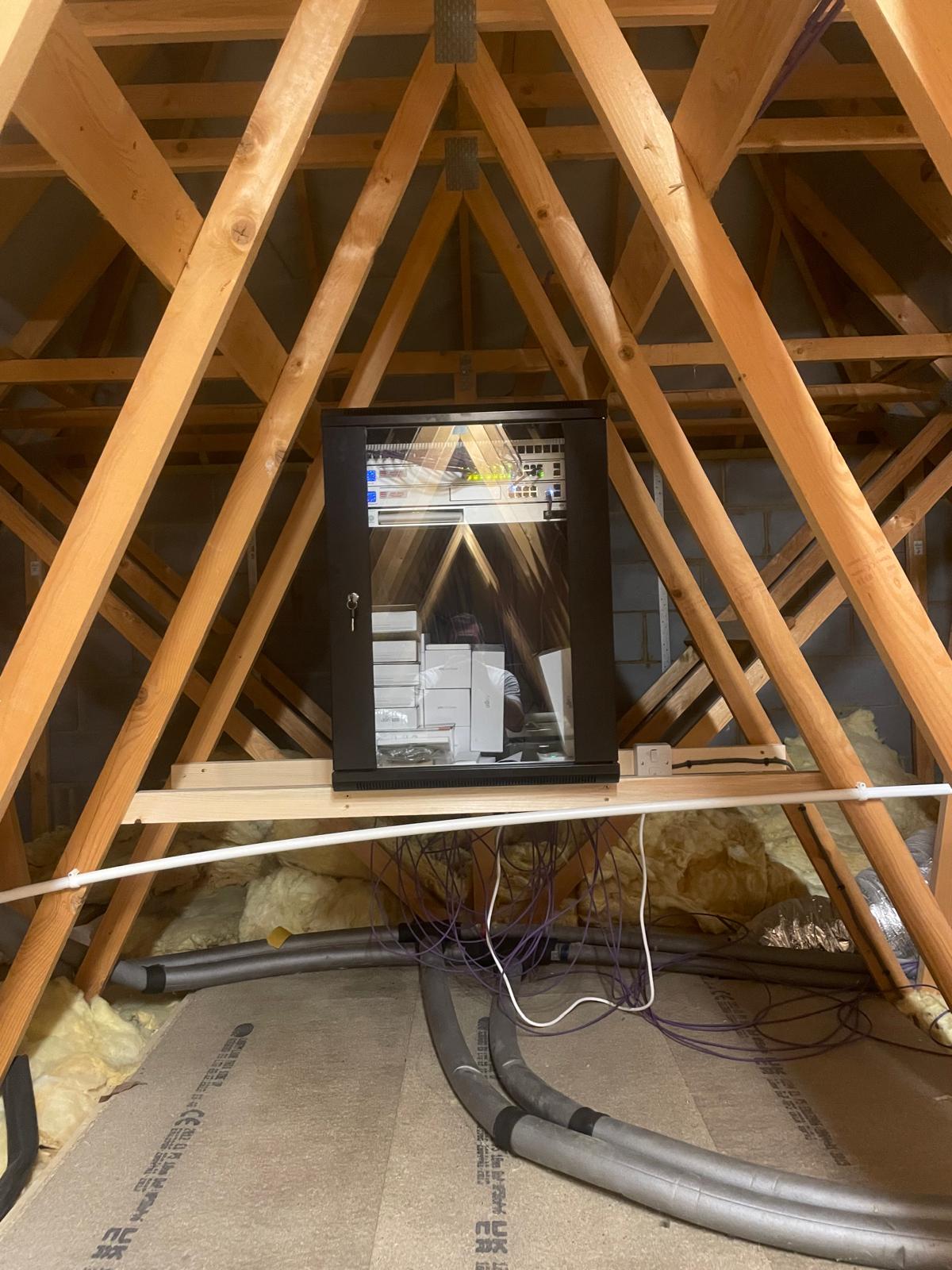
A central network rack was installed in the roof space, bringing the property's core infrastructure together in one location.
- UniFi UDM-SE gateway and network controller
- UniFi managed switching
- UniFi Protect NVR
- Nine indoor and outdoor wireless access points
- Segmented networks for security and IoT devices
- Seamless Wi-Fi roaming throughout the property and grounds
Wi-Fi across the entire property
With a property of this size, Wi-Fi coverage needed to extend considerably further than the main house. Nine access points provide indoor and outdoor coverage across the site, with seamless roaming configured so phones, tablets and other wireless devices can move between areas without the user having to change networks.
This was particularly important because many of the systems that would eventually form part of the smart home depend on reliable network connectivity.
Property-wide CCTV
Seven UniFi Protect cameras were installed around the property, including three PTZ cameras. The system includes features such as person tracking and number plate recognition, while movement sensors and floodlighting can work alongside the cameras. Movement in an area can trigger a PTZ camera to reposition itself and track activity.
Recordings are stored locally using the UniFi NVR rather than relying on a consumer cloud-camera platform. For privacy and security reasons, the detailed camera positions and coverage are deliberately not shown here.
Making the existing house smart
The homeowner wasn't looking for coloured lighting or technology simply for the sake of it. The objective was to make the existing house more useful without fundamentally changing how it worked.
Shelly controllers were therefore integrated with the property's existing lighting, and the physical light switches remain. Someone visiting the house doesn't need an app, a touchscreen or instructions to turn on a light. The switches work as normal, while Home Assistant adds automation and central control behind them.
One interface for the whole house
The different systems are brought together using a dedicated Home Assistant installation, running as a virtual machine on a Hyper-V server in the network rack. Rather than requiring a different app for every manufacturer, it provides a common platform through which the various systems around the house can interact.
Shelly Wall Display X2 control screens have been installed in the main downstairs rooms and the master bedroom.
- Lighting
- Somfy blinds
- Garage doors
- CCTV feeds
- Network and device status
- Printer status and ink levels
- Internet and router controls
It's not just the obvious things
One advantage of using Home Assistant as the central platform is that useful information from seemingly unrelated devices can be brought into the same interface: TVs, washing machine, tumble dryer, fridge and printer all feed into it.
That means something as simple as checking the printer's remaining ink can be done from the same wall-mounted screen used to control the lights or view a camera. It isn't about making every appliance complicated — it's about making useful information available where it makes sense.
Automation without losing manual control
Some of the external lighting changes automatically according to the time of year, rather than relying on the homeowner continually adjusting timers as daylight hours change. We've also created a Holiday Mode: when the owners are away, the house can operate lighting automatically to help give the appearance that the property is occupied.
Most importantly, the essential functions of the house aren't dependent on an internet connection — or even on Home Assistant itself. Physical controls remain available and the house continues to function normally if the internet or automation server is unavailable.
Upgrading the internet connection
When the project began, the existing telephone connection was rerouted into the new central rack and used to provide a SoGEA broadband service. When full fibre subsequently became available in the area, our sister company ARK Assist arranged the upgrade to FTTP and integrated the new connection with the existing network.
The property now has a 1,000 Mbps download / 120 Mbps upload connection, managed and supported alongside the home's IT infrastructure.
Solving a failed connection without digging up the garden
An existing underground network cable serving the detached garage eventually developed a fault due to water ingress. The cable hadn't originally been installed by us, and replacing it conventionally would have meant significant excavation and disruption.
Instead, we installed a UniFi Building Bridge, creating a dedicated wireless link between the buildings without needing to dig up the grounds. The link has remained reliable since installation and the garage remains part of the same managed network.
A smart home that keeps evolving
This project wasn't designed to be finished on a particular day. The underlying infrastructure was deliberately built to allow the homeowner to add new ideas and technology over time.
Since the original installation in 2023 we've returned on numerous occasions to add features, integrate new hardware and make changes as new products have become available. That has turned the initial installation into an evolving smart-home platform rather than a collection of devices installed at one point in time.
Ongoing monitoring and support
The technology behind the home is monitored and maintained on an ongoing basis, covering the UniFi network equipment, internet connectivity, server hardware, the Home Assistant virtual machine, backups and software updates.
Many issues can be diagnosed and resolved remotely, with an engineer visiting the property when physical work is required. For the homeowner, the installation isn't something they're expected to maintain themselves.
The result
What began with the question “what could we do to make the house smart?” has developed into an integrated technology platform covering the house, garden and outbuildings.
Rather than choosing one manufacturer for everything, different products have been selected where they suit the requirement and brought together through Home Assistant. The homeowner gets one joined-up system while retaining conventional controls for the things that matter — and because the network and infrastructure underneath it were designed first, the system can continue to change as the property does.